3.5-Hour Podcast. 92x Realtime. 2 Minutes Flat.
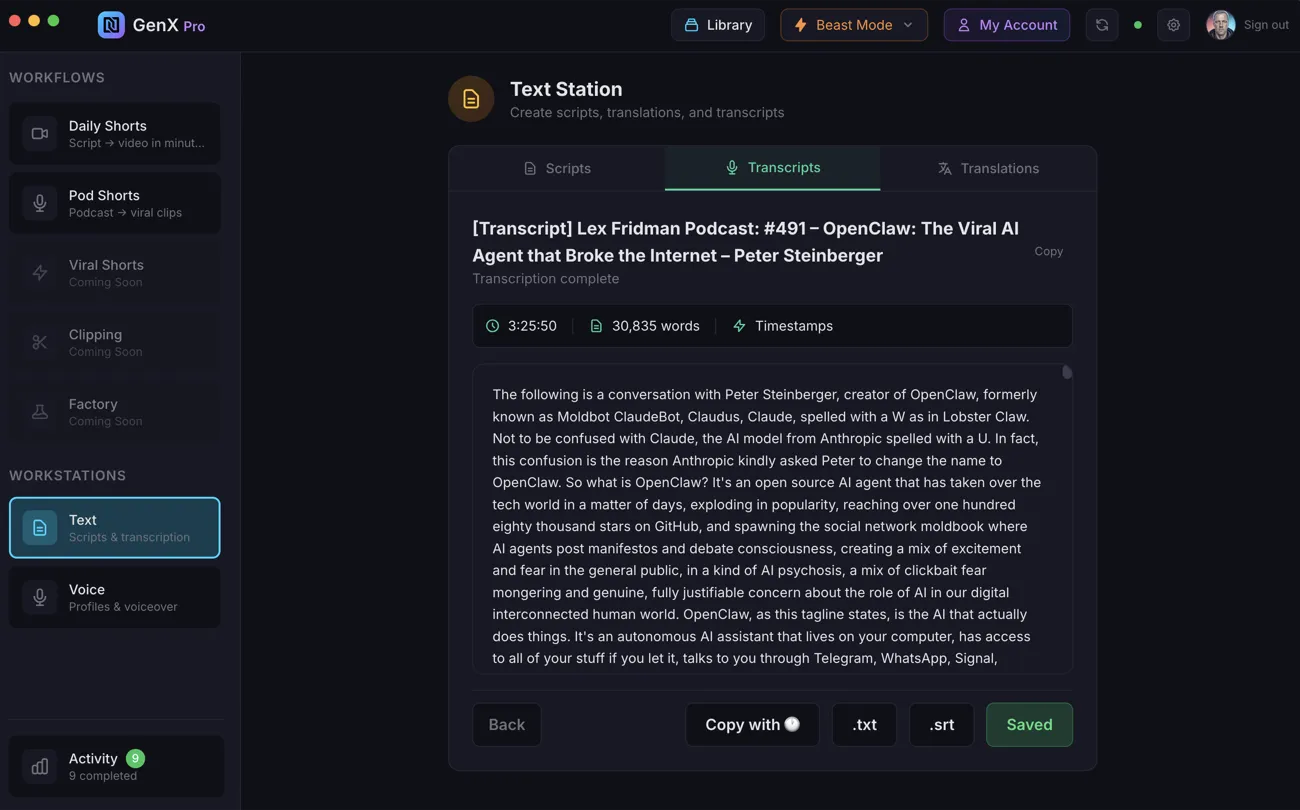
GenX Pro transcribed Lex Fridman's 3-hour 26-minute episode — 30,835 words — in 2 minutes and 14 seconds. That's 92x realtime. Word-level timestamps, a word-token editor with Find & Replace, and Cloud Library integration. Paste a podcast URL, upload a file, or search for any show.
What is GenX Transcriptions?
GenX Transcriptions is a GenX Pro feature that converts audio and video files into text with word-level timestamps at 92x realtime speed.
A 3-hour 26-minute Lex Fridman podcast episode — 30,835 words — was transcribed in 2 minutes and 14 seconds.
It includes a word-token editor with Find & Replace where timestamps are preserved through edits, multiple export formats (plain text, timestamped, .txt, .srt), and Cloud Library integration. Search for any podcast, paste an Apple Podcasts URL, or upload your own audio file.
speed
time
length
timestamps
Two Ways to Start
Search for any podcast by name, paste an Apple Podcasts or RSS URL, or upload an audio or video file directly.
Podcast Search
Type a podcast name and browse results, or paste an Apple Podcasts URL directly. Select any episode from the feed — artwork, title, and duration are shown for easy browsing. Pagination built in for shows with hundreds of episodes.
- ✓ Search by podcast name or paste URL
- ✓ Browse episodes with artwork and duration
- ✓ Podcast metadata auto-attached to transcript
File Upload
Drag and drop any audio or video file. Supports MP3, WAV, M4A, MP4, WEBM, MOV, OGG, and FLAC — up to 100MB. The file uploads in the background while you continue working.
- ✓ 8 audio/video formats supported
- ✓ Drag and drop or click to browse
- ✓ Up to 100MB per file
The Fastest Transcription You've Used
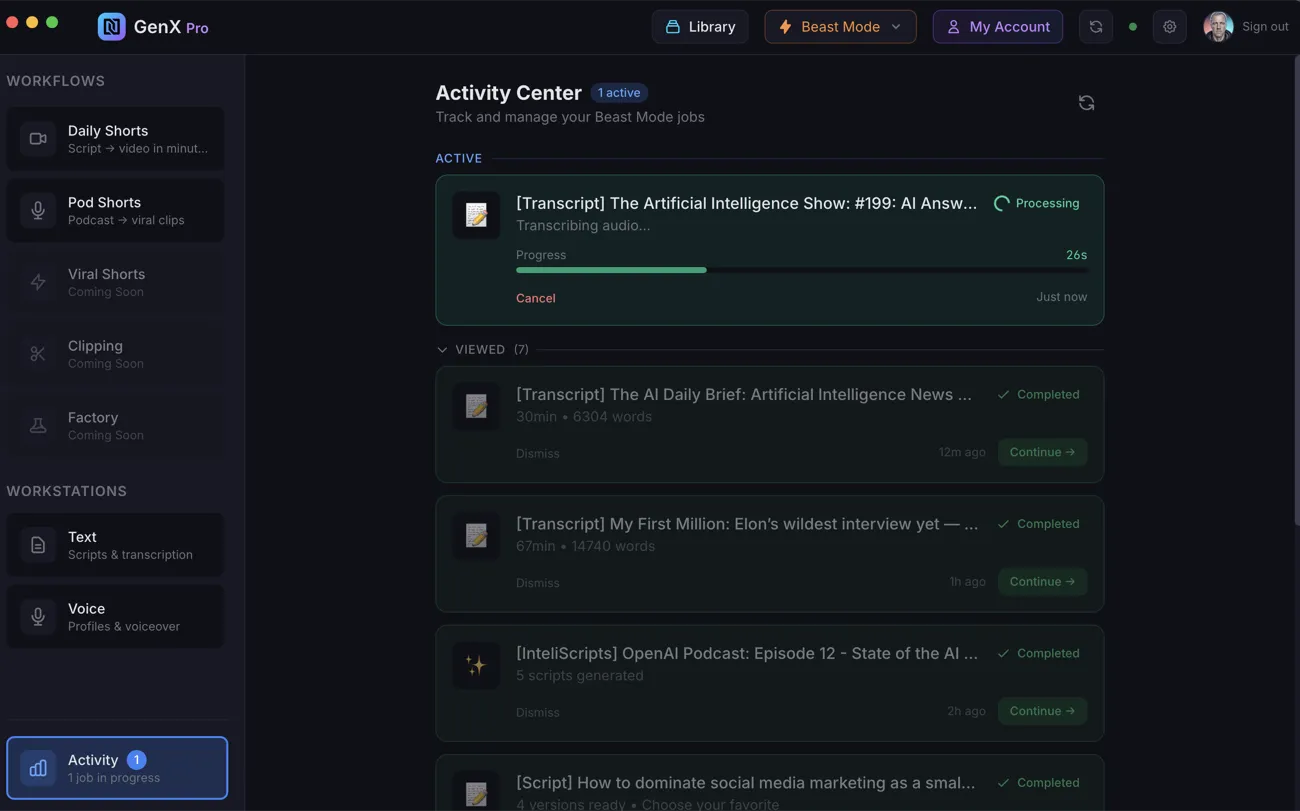
GenX Pro transcribes on dedicated GPU infrastructure at 92x realtime. A 3-hour 26-minute podcast produces a 30,835-word transcript with word-level timestamps in 2 minutes 14 seconds. Results are cached — if you re-transcribe the same audio, the transcript returns instantly.
- ✓ 3h 26m → 2m 14s (92x realtime) — tested on Lex Fridman #491
- ✓ Word-level timestamps on every word in the transcript
- ✓ Transcript caching — same audio? Instant results on repeat
- ✓ Runs on dedicated GPU infrastructure — not shared, not throttled
Edit Every Word, Export Anywhere
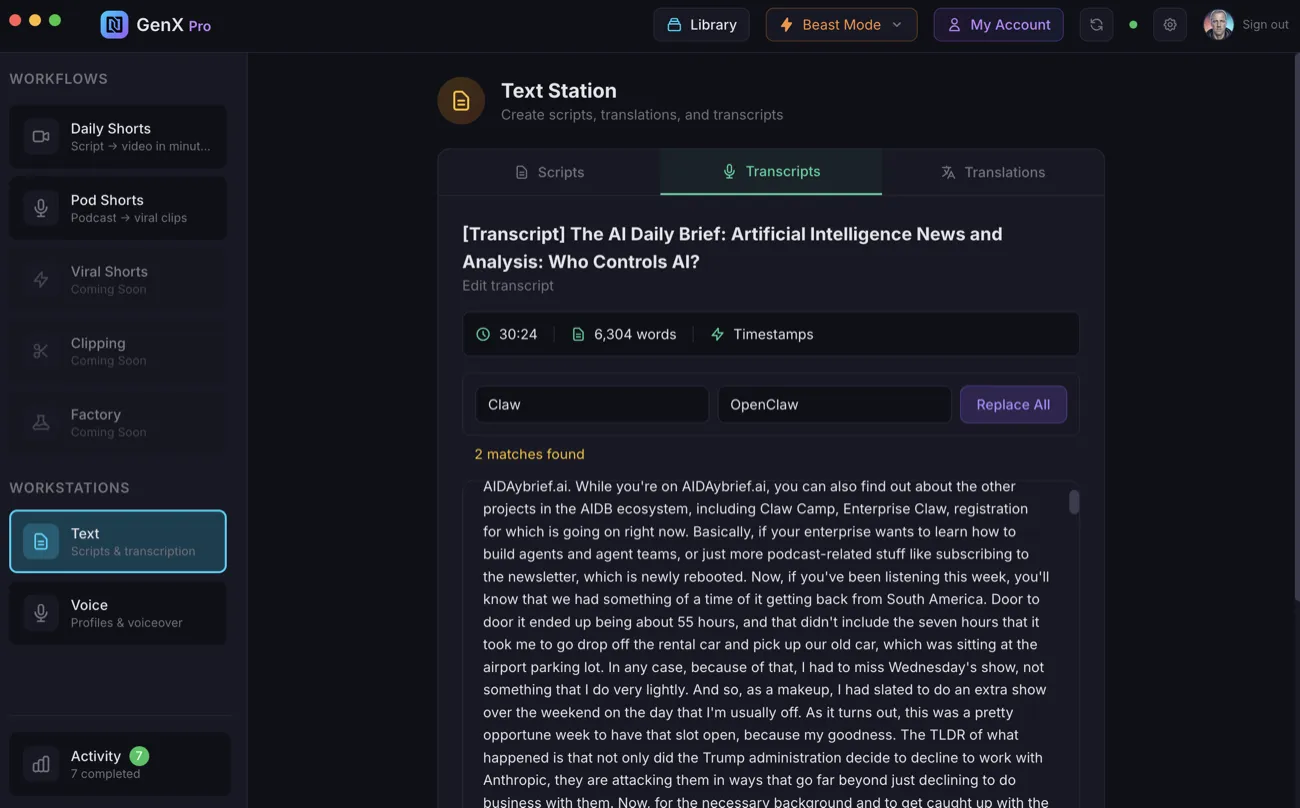
Open the transcript editor and click any word to edit it in place — timestamps stay intact automatically. Use Find & Replace to fix recurring names or terms across the entire transcript at once. When you're done, save changes to both local and Cloud Library, or export in the format you need.
- ✓ Word-token editing — click any word, edit in place, timestamps preserved
- ✓ Find & Replace — fix names, terms, or recurring errors in one action
- ✓ Export options: Copy text, copy with timestamps, download .txt, download .srt
- ✓ Save to Cloud Library — feeds into InteliScripts, Translations, and Pod Shorts
- ✓ Translate directly — pipe the transcript straight to the Translations tool
The Starting Point for Everything
Transcriptions are the foundation of the Beast Mode pipeline. Every other feature builds on the text that starts here.
- → InteliScripts turns your transcript into 3–10 unique short-form video scripts
- → Translations translate the full transcript to 7 languages — handle 30,000+ word documents
- → Pod Shorts analyzes the transcript for viral moments and produces ready-to-post shorts
- → Daily Shorts uses scripts derived from your transcript to produce videos with b-roll and captions
- → The full chain: Transcribe → Script → Translate → Voice → Video — one podcast becomes 56+ videos
Everything You Need, Included
No third-party API keys. No subscriptions. No per-minute surprises. Transcription runs on our dedicated GPU infrastructure.
Runs on our dedicated GPU infrastructure. Zero setup, zero config.
Only pay for what you use. Credits-based — every transcription billed transparently, nothing recurring.
Re-transcribe the same audio and results return instantly. No double charges.